Interactive Multi-Shot Video Creation

ContextMaster

Interactive Multi-Shot Video Creation via Fixed-Budget Sparse Context Routing

1Tsinghua University 2Nanjing University 3Kling Team, Kuaishou Technology 4ShanghaiTech University 5HKUST

* Equal contribution   § Corresponding author

Demo Video

Generate, reference, edit, and compose a visual story over an evolving shot history.

Text-driven generation

Text to Multi-Shot Video T2MV

Generate coherent shot sequences from text while preserving recurring subjects and narrative state.

An office conversation

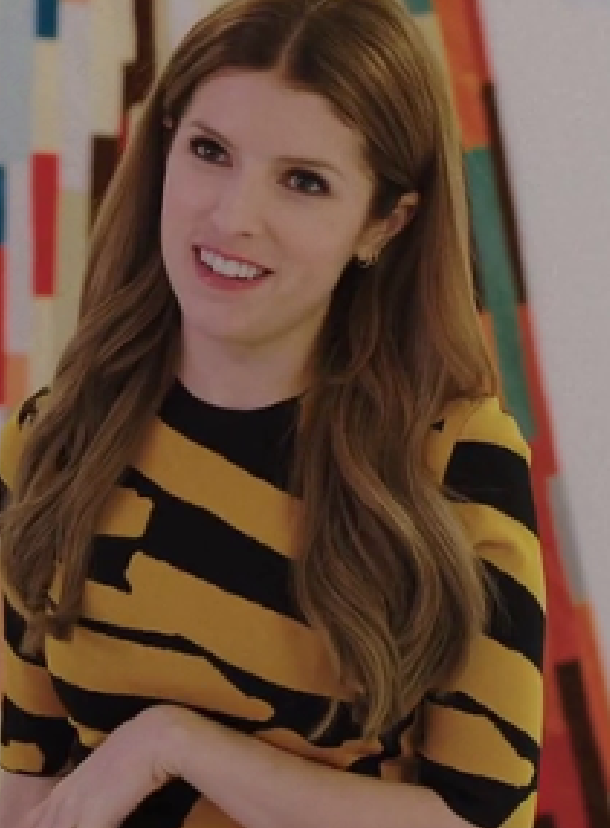
  1. Shot 1A blonde woman in a brown sweater sits in an office and speaks calmly to a colleague across the desk.
  2. Shot 2A man in a light blue shirt and tie turns toward her, responding with an engaged expression and open-hand gestures.
  3. Shot 3A close-up returns to the woman as she listens carefully and replies with a measured, serious expression.
  4. Shot 4The man continues his explanation, leaning forward slightly and emphasizing his point with both hands.
  5. Shot 5The woman resumes the conversation, maintaining eye contact as she calmly concludes her response.
Dialogue in a storage room

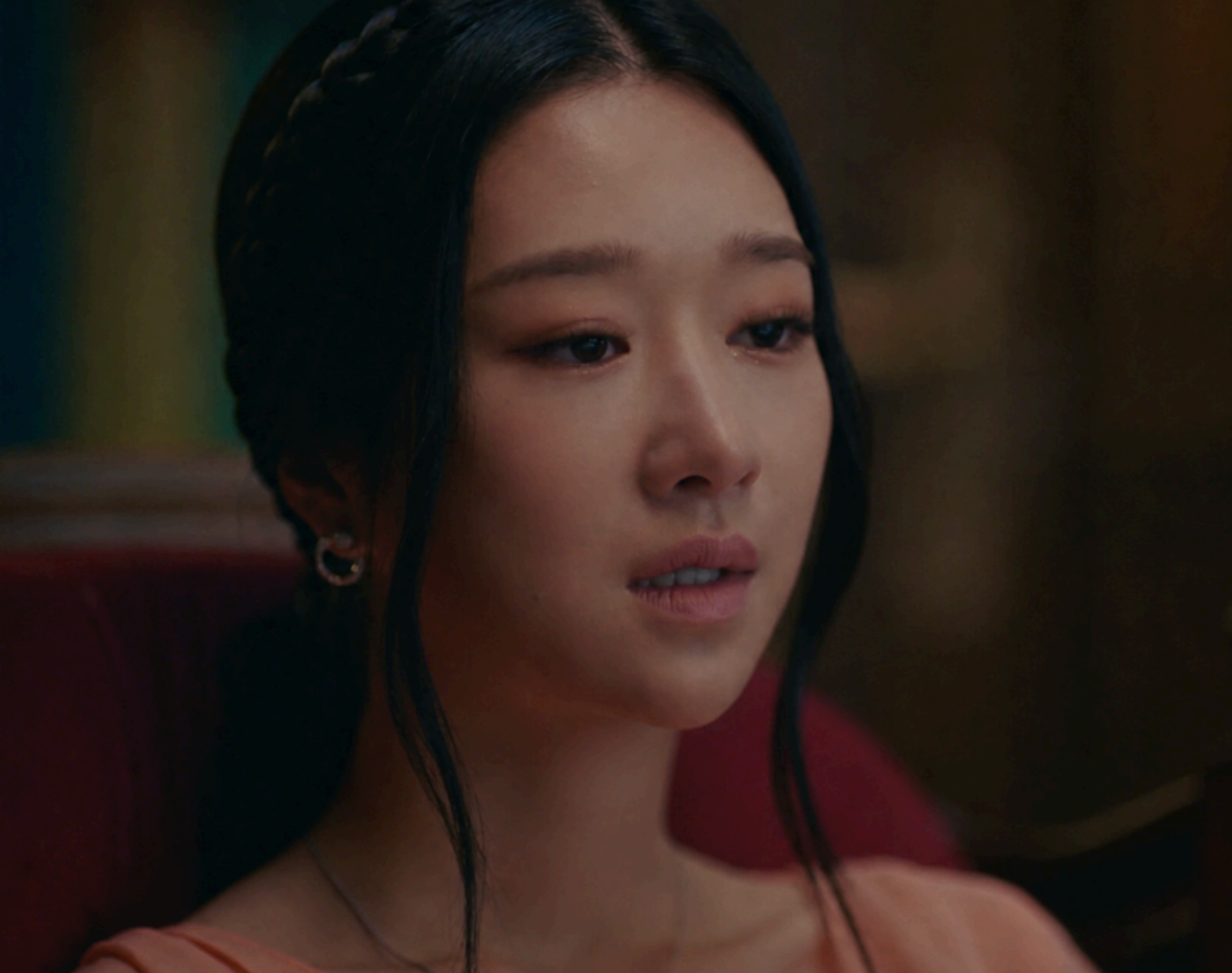
  1. Shot 1In a dim storage room, a man in a black shirt leans forward and speaks seriously to a bald man seated across from him.
  2. Shot 2A close-up shows the first man continuing to speak with a tense and focused expression.
  3. Shot 3The bald man listens carefully, slightly tilts his head, and replies in a calm voice while maintaining eye contact.
  4. Shot 4The first man pauses briefly and reacts with visible surprise, his eyes widening as he looks at the bald man.
  5. Shot 5The bald man maintains eye contact and confidently finishes his response with a calm, composed expression.

A quiet evening at home

  1. Shot 1A young woman in a white hoodie sits on a sofa at night and uses her smartphone, looking down at the glowing screen.
  2. Shot 2In a close-up, she smiles warmly at something displayed on the phone as the screen light illuminates her face.
  3. Shot 3She puts the phone aside, leans back on the sofa, and pulls a white blanket around herself.

Reference-guided generation

Reference to Multi-Shot Video R2MV

Use one image to anchor subject appearance across new viewpoints, actions, and lighting conditions.
Reference image
Reference

Driving from day to night

  1. Shot 1From the back seat, a woman is seen driving along a tree-lined road, with her eyes reflected in the rearview mirror.
  2. Shot 2A front close-up shows the woman behind the steering wheel, looking ahead with a tense and worried expression.
  3. Shot 3A side-profile close-up shows the woman keeping her gaze fixed on the road while continuing to drive.
  4. Shot 4An exterior rear view follows the blue car as it travels down a quiet road surrounded by dense trees.
  5. Shot 5At night, a front close-up shows the woman driving with a serious expression as blurred green city lights glow behind her.
Reference image
Reference

A conversation over tea

  1. Shot 1A brown-haired woman in a purple sweater sits indoors and speaks seriously to someone off-camera.
  2. Shot 2The woman briefly looks down and brushes her hair back with one hand while continuing the conversation.
  3. Shot 3She picks up a floral-patterned ceramic cup with both hands, brings it to her lips, and takes a sip.
  4. Shot 4After drinking, she lowers the floral-patterned cup and carefully puts it back down.
  5. Shot 5She looks forward with a slight smile, then begins to laugh and covers her mouth with one hand.
Reference image of an elderly potter
Reference

From one vessel to the next

  1. Shot 1An extreme close-up shows the elderly potter's clay-covered hands carefully shaping a small vessel on the wheel.
  2. Shot 2A wide workshop view shows her continuing to form the vessel among shelves of pottery, tools, and clay supplies.
  3. Shot 3In a medium close-up, she uses a trimming knife to refine the rim and outer wall of the completed first vessel.
  4. Shot 4With the first vessel set aside, she centers fresh clay on the wheel and begins shaping a second one.

Consistent multi-shot editing

Multi-Shot Video Editing V2MV

Apply one instruction consistently to all source shots while preserving motion and scene structure.

Remove Remove the man standing beside the woman.

Source
ContextMaster
  1. Shot 1Remove the man standing beside the woman.
  2. Shot 2Remove the man standing beside the woman.
  3. Shot 3Remove the man standing beside the woman.

Add Add an elderly man wearing a dark green jacket.

Source
ContextMaster
  1. Shot 1Add an elderly man wearing a dark green jacket consistently across all shots.
  2. Shot 2Add an elderly man wearing a dark green jacket consistently across all shots.
  3. Shot 3Add an elderly man wearing a dark green jacket consistently across all shots.

Replace Replace the man in the blue suit.

Source
ContextMaster
  1. Shot 1Replace the man in the blue suit with a middle-aged man wearing a brown leather jacket and blue jeans.
  2. Shot 2Replace the man in the blue suit with a middle-aged man wearing a brown leather jacket and blue jeans.
  3. Shot 3Replace the man in the blue suit with a middle-aged man wearing a brown leather jacket and blue jeans.

Add Add an elderly man wearing a navy cardigan.

Source
ContextMaster
  1. Shot 1Add an elderly man wearing a navy cardigan and khaki pants.
  2. Shot 2Add an elderly man wearing a navy cardigan and khaki pants.
  3. Shot 3Add an elderly man wearing a navy cardigan and khaki pants.
  4. Shot 4Add an elderly man wearing a navy cardigan and khaki pants.

Compositional creation

Generate, Edit, Continue X2MV

Compose different operations in one trajectory while every accepted result becomes shared visual history.

Method

Growing History. Fixed Read Budget.

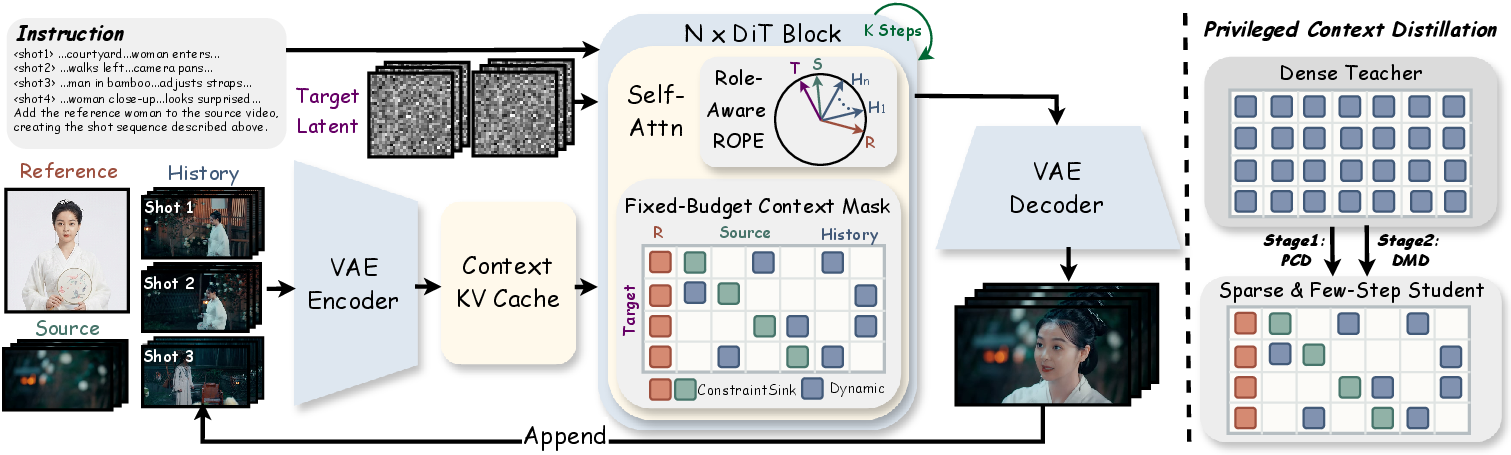
ContextMaster separates persistent visual history from request-local constraints and distills dense context behavior into a sparse four-step model.
ContextMaster framework
Unified IMVC

Reference, history, source, and target tokens share one role-aware representation.

Fixed-Budget Routing

ConstraintSink preserves mandatory conditions while dynamic routing retrieves relevant history within 6 FE.

PCD → DMD

A dense teacher first transfers full-context behavior; deployment-matched refinement then restores detail on sparse rollouts.